Concurrency pools
Setting a default limit for concurrency pools
- Dagster+: Edit the
concurrencyconfig in deployment settings via the Dagster+ UI or thedagster-cloudCLI. - Dagster Open Source: Use your instance's dagster.yaml
concurrency:
  pools:
    default_limit: 1
Limit the number of assets or ops actively executing across all runs
You can assign assets and ops to concurrency pools which allow you to limit the number of in progress op executions across all runs. This is ideal for protecting shared resources like databases or APIs. You first assign your asset or op to a concurrency pool using the pool keyword argument.
import time

import dagster as dg


@dg.asset(pool="database")
def query_customers(context: dg.AssetExecutionContext):
    """Asset assigned to the 'database' pool."""
    context.log.info("Querying customers table...")
    time.sleep(5)  # Simulate database query
    return {"count": 1000}


@dg.asset(pool="database")
def query_orders(context: dg.AssetExecutionContext):
    """Asset assigned to the 'database' pool."""
    context.log.info("Querying orders table...")
    time.sleep(5)  # Simulate database query
    return {"count": 5000}


@dg.asset(pool="api")
def fetch_external_data(context: dg.AssetExecutionContext):
    """Asset assigned to the 'api' pool."""
    context.log.info("Fetching from external API...")
    time.sleep(3)  # Simulate API call
    return {"status": "success"}
You should be able to verify that you have set the pool correctly by viewing the details pane for the asset or op in the Dagster UI.
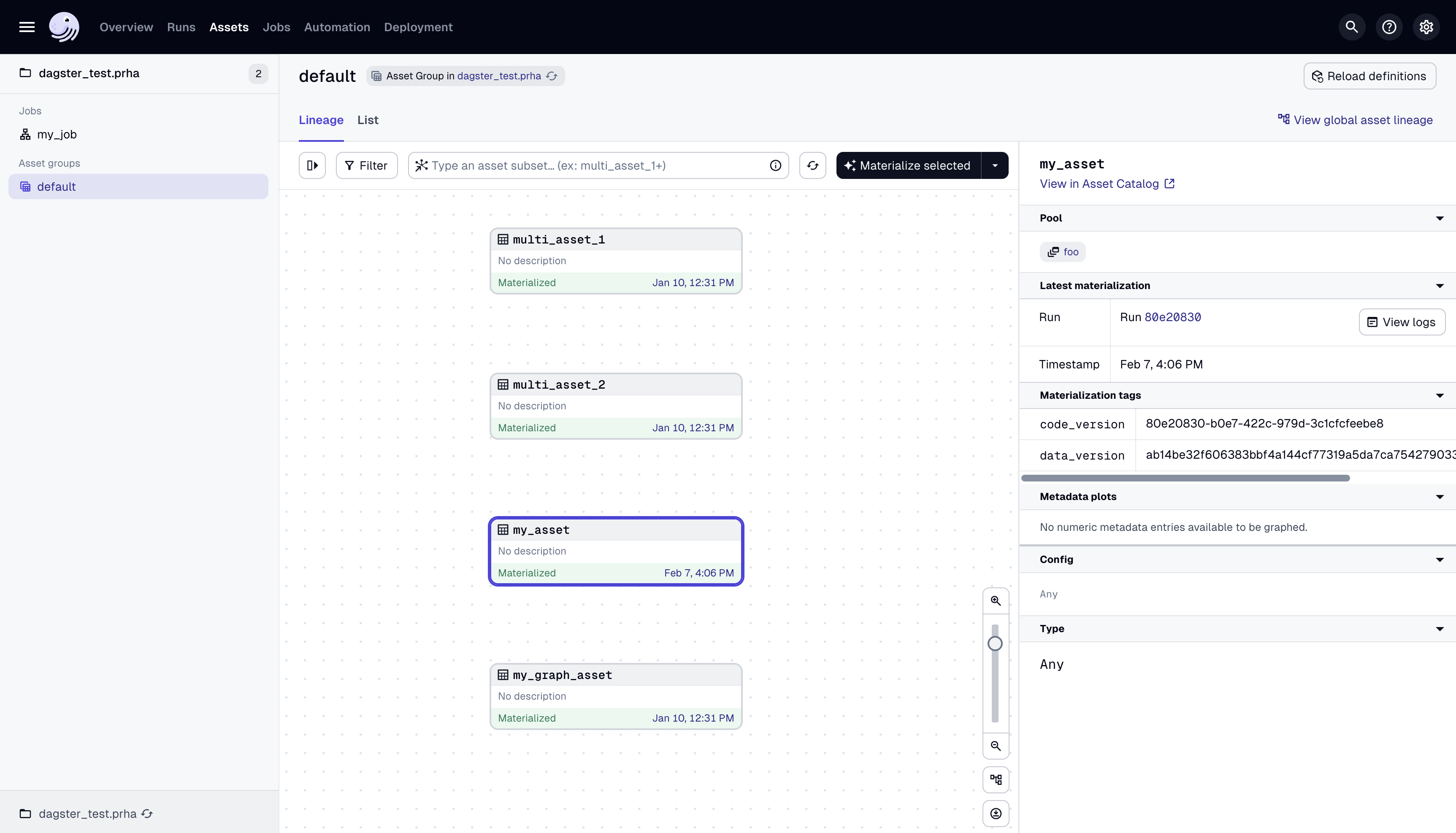
Once you have assigned your assets and ops to a concurrency pool, you can configure a pool limit for that pool in your deployment by using the Dagster UI or the dagster CLI.
To specify a limit for the pool "database" using the UI, navigate to the Deployments → Concurrency settings page and click the Add pool limit button:
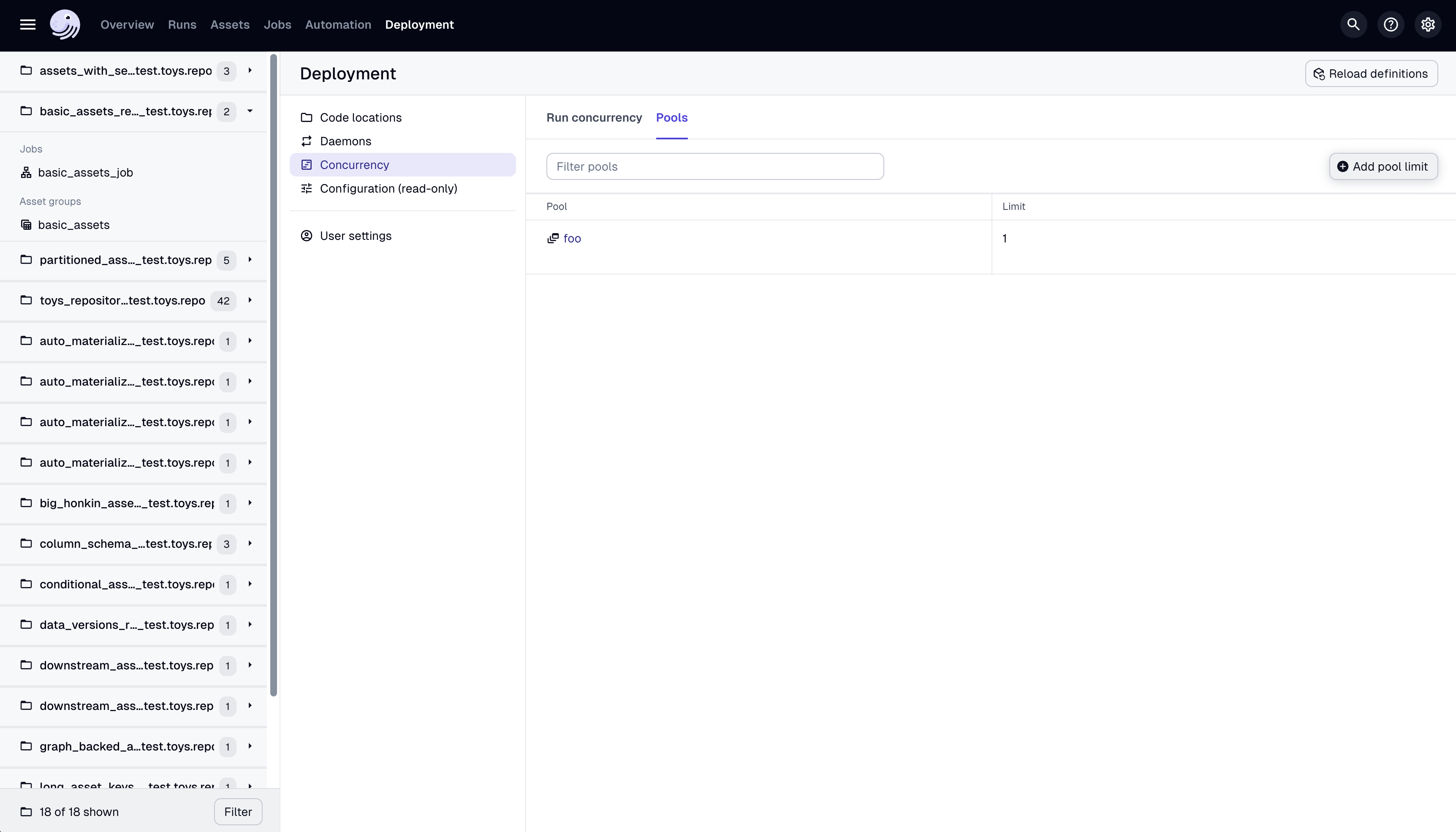
To specify a limit for the pool "database" using the dagster CLI, use:
dagster instance concurrency set database 1
Limit the number of runs that can be in progress for a set of ops
You can also use concurrency pools to limit the number of in progress runs containing those assets or ops. You can follow the steps in the Limit the number of assets or ops actively in execution across all runs section to assign your assets and ops to pools and to configure the desired limit.
Once you have assigned your assets and ops to your pool, you can change your deployment settings to set the pool enforcement granularity. To limit the total number of runs containing a specific op at any given time (instead of the total number of ops actively executing), we need to set the pool granularity to run.
- Dagster Core, add the following to your dagster.yaml
- In Dagster+, add the following to your deployment settings
concurrency:
  pools:
    granularity: 'run'
Without this granularity set, the default granularity is set to the op. This means that for a pool foo with a limit 1, we enforce that only one op is executing at a given time across all runs, but the number of runs in progress is unaffected by the pool limit.
Cleaning up concurrency slots from cancelled runs
By default, Dagster does not automatically free concurrency pool slots when a run is cancelled or fails. If a run is cancelled while holding a concurrency slot, that slot remains occupied indefinitely, blocking future runs from claiming it. With a pool limit of 1, a single cancelled run will permanently deadlock all future runs for that pool.
To prevent this, enable automatic slot cleanup by configuring free_slots_after_run_end_seconds in your run monitoring settings:
run_monitoring:
  enabled: true
  free_slots_after_run_end_seconds: 300
This setting is strongly recommended whenever you use concurrency pools. See Troubleshooting concurrency issues for recovery steps if you are already experiencing a deadlock.